
Self-Contained Systems
SCIF Configuration
Pre-configured protection for Sensitive Compartmented Information Facilities.
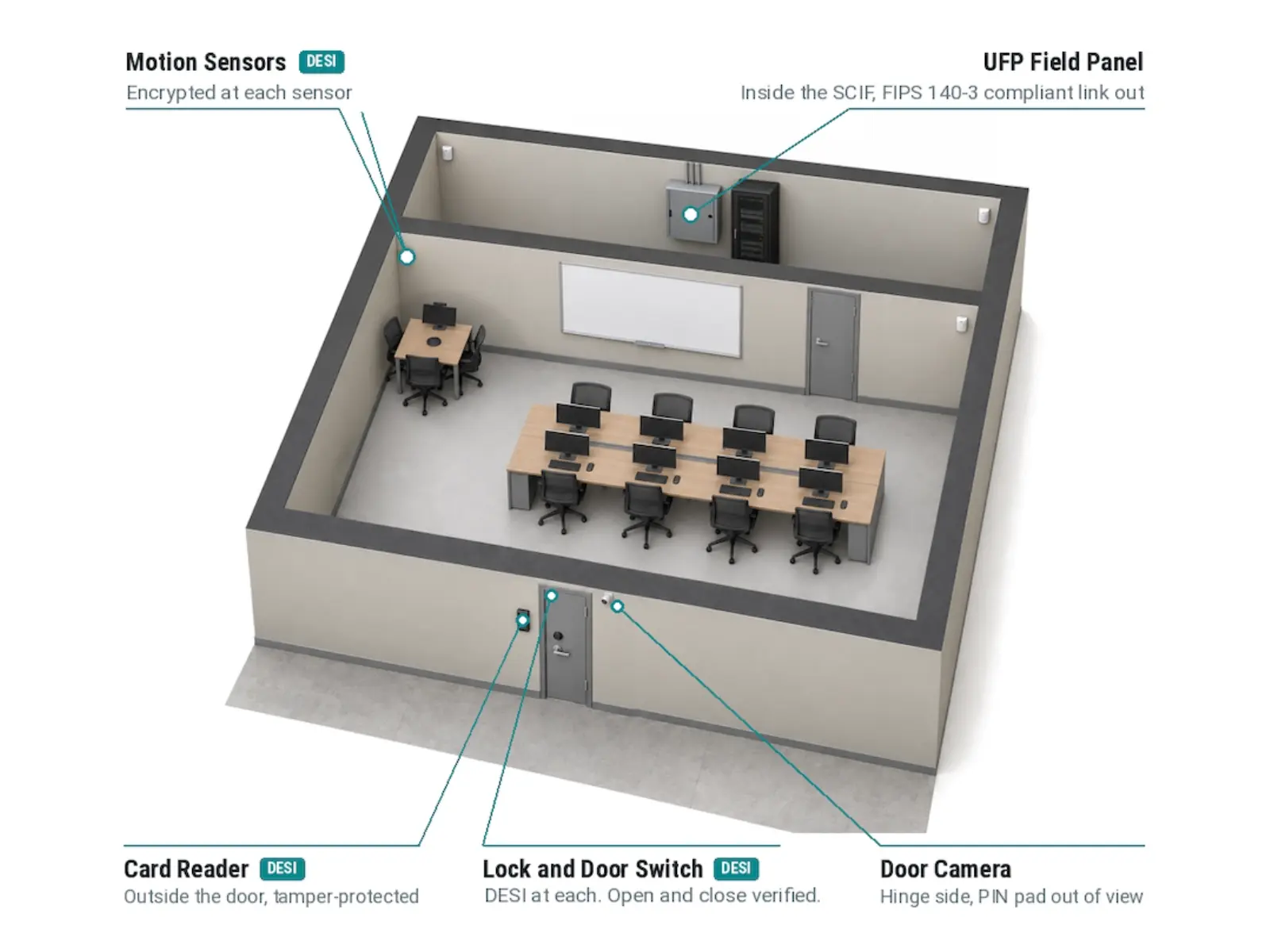
The SCIF Configuration packages PSG’s command and control software in Docker containers on the Universal Field Panel™ with DESI, a streamlined Zero Trust system for Sensitive Compartmented Information Facilities. It manages 64 I/O devices and eight doors with local zone control.
- Category
- Self-Contained Systems
- Configurations
- 1
Built for the SCIF mission
The system provides local command and control of 64 I/O devices and eight access control doors, with secure and access zone control from the included LINX™ arm and disarm keypad. Optional third-party FIPS 140-2 and 140-3 encryption, such as VPN tunnels and switches, supports ICD-705 applications.
Zero Trust from sensor to C2
The UFP with DESI replaces legacy field panels and end-of-line resistors with FIPS PKI authenticated data from the edge to the enterprise. The embedded HTML5 command and control software, approved for DOE and DoD nuclear asset security, is included at no added server cost.
Fits the central station
The system can output its data in SIA standard internet protocols, allowing ICD-705 compliant integration with UL 2050 central stations. The same DOE and DoD approved software runs at commercial pricing, so a SCIF program gets high assurance without a custom build.
- Command and control for 64 I/O devices and eight doors
- LINX arm and disarm keypad with text-based zone control
- Embedded C2 software, no additional application server
- UFP with DESI: FIPS PKI authenticated data, edge to enterprise
- SIA protocol output for UL 2050 central station integration
Specifications
Key specifications for the SCIF configuration. Download the data sheet for the complete document.
| Parameter | SCIF Configuration |
|---|---|
| Capacity | |
| I/O devices | 64, local command and control |
| Access control doors | 8 |
| DESI ports | 16 per gateway, supporting 64 DESI, any mix |
| Serial channels | 2 x RS-485, one field changeable to RS-232 |
| OSDP readers | 2 per serial channel, field configurable for Wiegand |
| Platform | |
| Command and control | Embedded HTML5 C2 in Docker containers on the UFP |
| Zone control | LINX arm and disarm LCD keypad included |
| Communications | 2 x 1000BaseT Ethernet |
| Central station | SIA standard internet protocols for UL 2050 integration |
| Security | |
| Cyber security | TPM 2.0, secure boot, secure key storage, signed firmware, RMF STIG compliant OS |
| Cryptography | FIPS 140 compliant TLS, FIPS-186, FIPS-198, NIST SP 800-90B, ECC-P256 |
| ICD-705 | Optional third-party FIPS 140-2 and 140-3 encryption |
| Physical and electrical | |
| Power input | 10 to 48 VDC |
| Power consumption | 6 W, exclusive of expansion modules |
| Environmental | -40 to 85°C, 10 to 90% RH |
| Mounting | DIN rail TS-35 standard; wall mount optional |
| Compliance | |
| Safety | UL294, UL1076, UL60950, RoHS |
| Supply chain | Made in USA, TAA, BAA |
Downloads
Data sheet, brochure and specification documents for this product.
A&E resources · 3 available
Specification-ready files for this product. Download what you need without leaving the page.
Where it sits
The SCIF Configuration spans Acquisition and Control and the operations layer inside the secure area: UFP and DESI authenticate each door and sensor, and embedded software gives control.
- Enterprise Consumers Purdue 4 to 5
- IT and OT Operations Purdue 2 to 3
- Acquisition and ControlSCIF Configuration Purdue 1
- OT Edge Purdue 0
Related products
-

Premise Control Unit
A complete intrusion detection and access control system for a single facility.
View product: Premise Control Unit -
Universal Field Panel™ Gateway
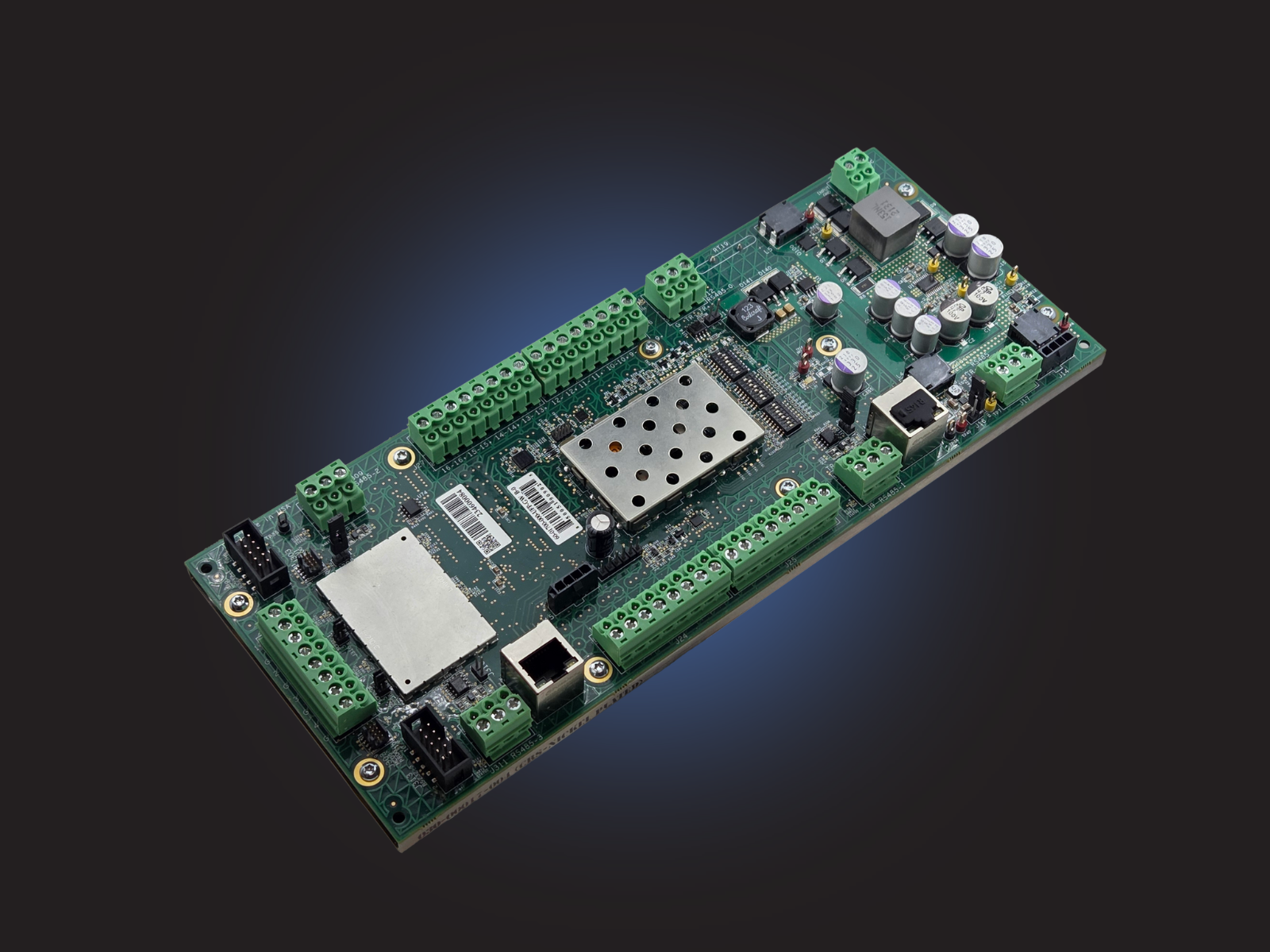
The gateway at the heart of every Universal Field Panel™, from the edge to the enterprise.
View product: Universal Field Panel™ Gateway -
DESI Controller
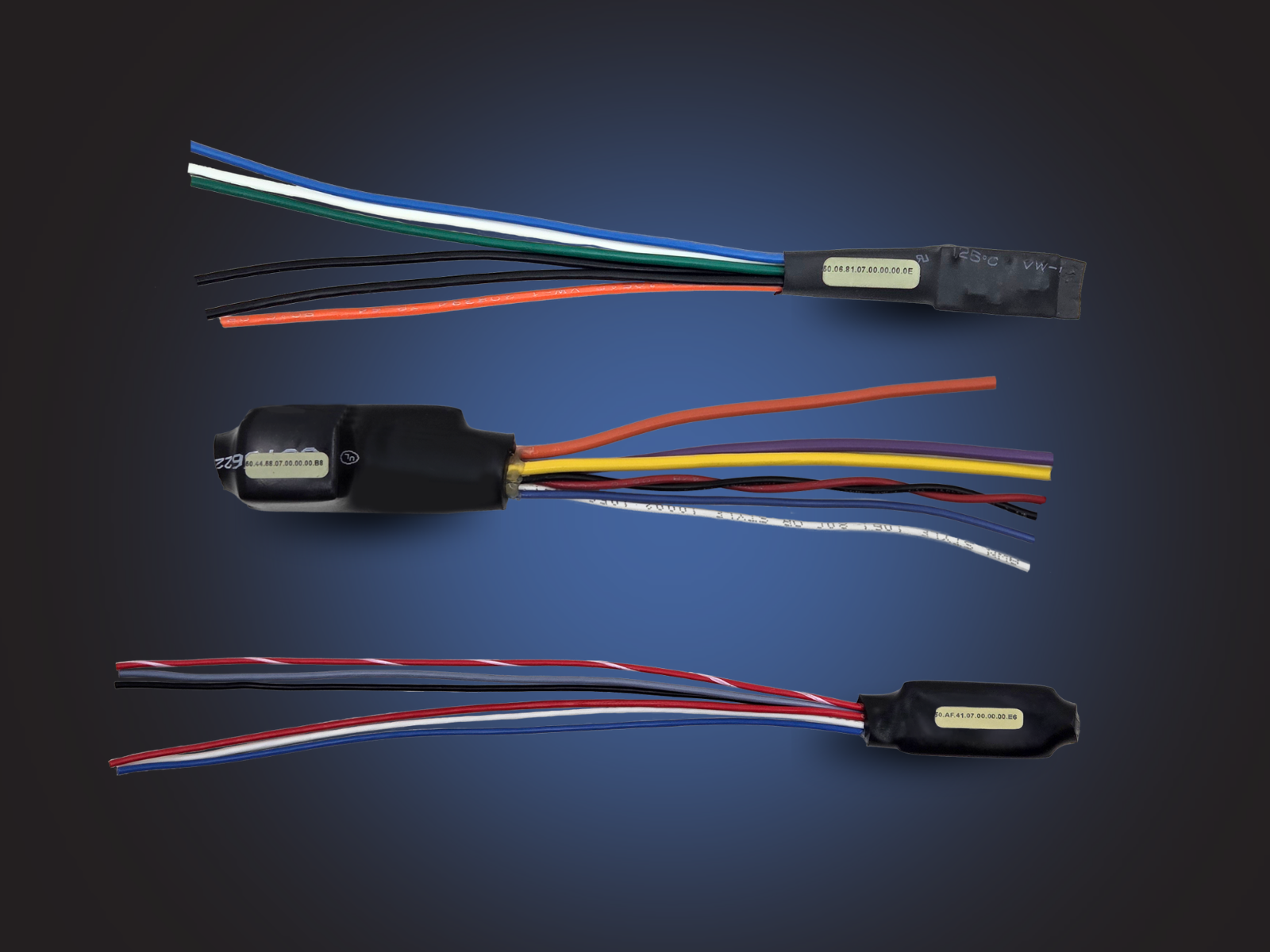
Replaces the end-of-line resistor and gives every analog sensor a cryptographic identity.
View product: DESI Controller
Questions about the SCIF Configuration?
Tell us what you are protecting and what is installed. Visit with a PSG systems engineer about configuration options and how it connects to your existing systems.